
The Reality Check
I launched my first faceless YouTube channel in December 2024. I spent three months creating 15 videos manually — writing scripts in Google Docs, recording voiceovers with my shaky voice, editing in DaVinci Resolve for hours. Total earnings by March 2025? $47. Then I discovered the AI workflow that successful faceless channels actually use. Six months later, my channel has 28,000 subscribers and earns $2,800-$3,500 monthly. Not from luck. From a repeatable system.ai workflow for faceless youtube
This article is the complete AI workflow for running a profitable faceless YouTube channel in 2026 — the tools, the process, the timeline, the mistakes to avoid. No hype. No “get rich quick.” Just the actual workflow creators use to earn $1,000-$10,000+ monthly without ever showing their face.
Why Faceless YouTube Works in 2026
Let’s address the obvious question: Why would anyone watch a channel without seeing the creator?
The data: Faceless content now represents 38% of all new monetized YouTube channels in 2026, up from 12% three years ago. Channels focused on value (education, entertainment, information) outperform personality-based channels in most niches.
Why it works:
- No camera anxiety, editing appearance, or personal brand pressure
- 100% scalable (hire VAs, run multiple channels)
- Focus stays on content value, not presenter
- Automation cuts production time by 80-90%
- Privacy maintained (no public face)
Reality: The best faceless channels earn $3,000-$15,000 monthly. Some multi-channel operators earn $20,000-$50,000+. These aren’t exceptions — these are systematic results from proven workflows.
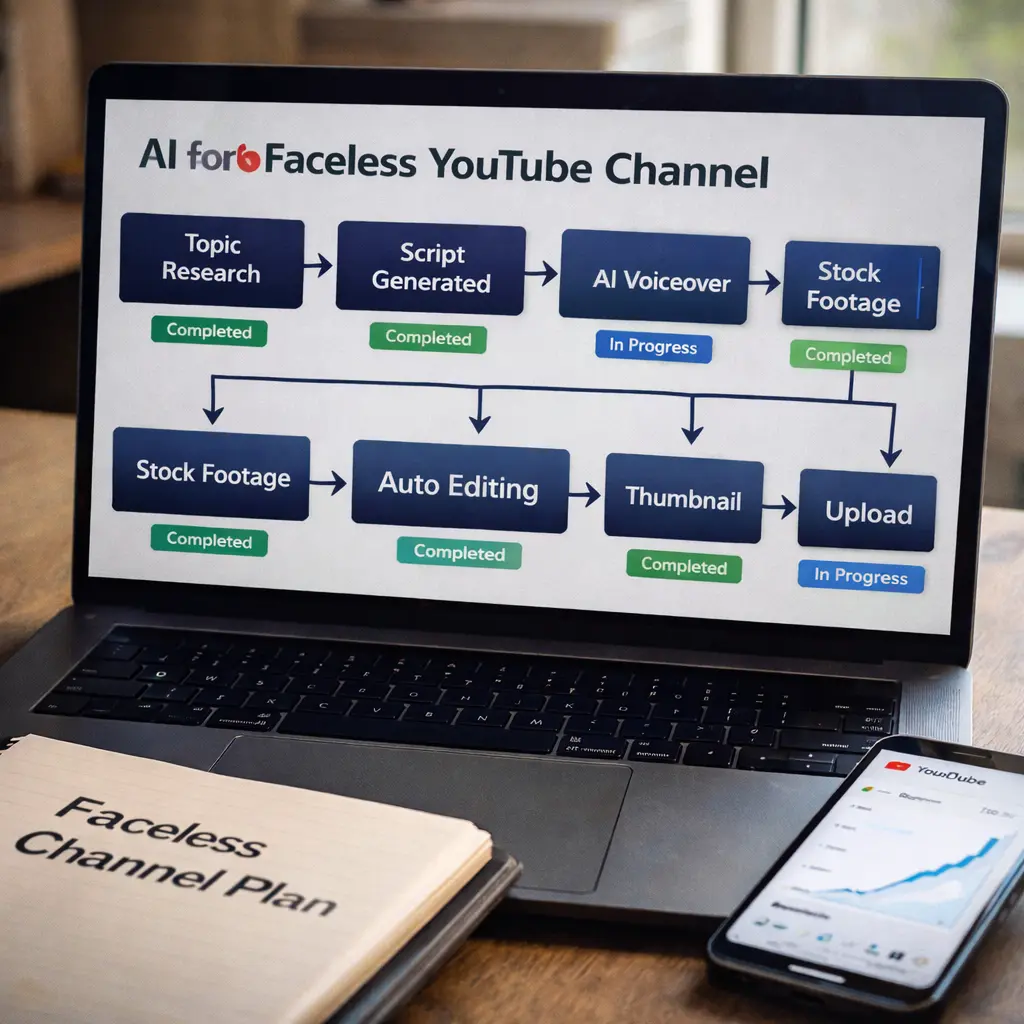
THE COMPLETE AI WORKFLOW (Step-by-Step)
STEP 1: Niche Selection (Week 1)
Don’t pick what you’re passionate about. Pick what pays.
High-CPM Niches (2026 Data):
- Personal Finance: $12-$20 CPM
- Business/Entrepreneurship: $10-$18 CPM
- Technology Reviews: $8-$15 CPM
- Real Estate/Investing: $15-$25 CPM
- Health/Wellness (non-medical): $8-$12 CPM
Low-CPM (avoid unless volume strategy):
- Gaming commentary: $2-$4 CPM
- Entertainment/Memes: $2-$5 CPM
- General vlogging: $3-$6 CPM
How to choose: Research YouTube, find channels with 50K-200K subs in your target niche. If they’re posting consistently, it’s profitable.
Tool: VidIQ or TubeBuddy (both free tiers work)
STEP 2: Channel Setup (Day 1-2)
Channel Name Strategy:
- Make it niche-specific: “WealthBuildersDaily” not “JohnDoeVlogs”
- Brandable and memorable
- Tool: ChatGPT prompt: “Generate 10 YouTube channel names for [niche]”
Channel Art (5 minutes with AI):
- Canva AI generates banner in 2 minutes
- Profile pic from Midjourney or DALL-E
- Keep it clean, professional, on-brand
About Section:
- Use ChatGPT: “Write YouTube About section for [niche] channel targeting [audience]”
- Include keywords naturally
- Add email for business inquiries
STEP 3: Script Generation (30-60 minutes per video)
This is where 90% of channels fail. Bad script = bad video, regardless of production quality.
The Proven ChatGPT Prompt Framework:
You are a YouTube scriptwriter for a faceless automation channel.
Niche: [Personal Finance]
Video length: 8-10 minutes
Tone: Clear, engaging, authoritative
Audience: Beginners seeking [financial freedom]

Structure (AIDA):
1. ATTENTION → Hook in 10-15 seconds
   Example: "This investment strategy made me $47,000 in 90 days..."

2. INTEREST → Explain problem/opportunity (2 min)
   - Use data points
   - Reference relatable scenarios

3. DESIRE → Show benefits with proof (4-5 min)
   - Case studies/examples
   - Address objections

4. ACTION → Clear call-to-action (30 sec)
   - Subscribe reminder
   - Link to related video

Topic: [Your specific video idea]

Generate a complete script with exact timestamps.
Output: Full script in 2-3 minutes with proper pacing.
Pro tip: Always review and edit. Add personality, current events, unique angles. Raw AI = generic content.
STEP 4: Voiceover Generation (5-10 minutes)
2026 Reality: AI voices are indistinguishable from human narration if you use premium tools.
Best Tools:
ElevenLabs (Recommended):
- Most natural-sounding voices
- Emotional inflection, pacing control
- Free tier: 10,000 characters/month (~3-4 videos)
- Paid: $22/month for 100,000 chars (~40 videos)
Murf.ai (Alternative):
- Great for professional/corporate tone
- Free tier: 10 minutes monthly
- Paid: $29/month
How to use:
- Copy script into ElevenLabs
- Choose voice (test 3-4, pick best match for niche)
- Adjust speed (1.0-1.1x works best)
- Download MP3
Time: 5 minutes per video.
STEP 5: Video Creation & Editing (20-45 minutes)
2026 Game-Changer: Full video automation from script.
Best Tools:
Pictory.ai (Most Popular):
- Paste script → Auto-generates video with stock footage
- Auto-adds captions (critical for retention)
- Scene transitions, music
- Free tier: 3 videos/month
- Paid: $23/month for 30 videos
InVideo AI v3.0 (Alternative):
- Text-to-video in 2 minutes
- More customization options
- Free tier: Limited
- Paid: $20/month
Workflow:
- Upload script + voiceover to Pictory
- AI matches visuals to narration
- Review scenes (replace poor stock footage)
- Add background music (Epidemic Sound, Artlist)
- Export 1080p MP4
Time: 20-30 minutes hands-on, 10-15 minutes rendering.
Manual Alternative (Better Quality, More Time):
- Use CapCut or DaVinci Resolve
- Source stock footage from Pexels, Pixabay (free)
- Add captions with AutoCap or CapCut AI
- Time: 1-2 hours per video
STEP 6: Thumbnail Creation (10-15 minutes)
Thumbnail determines 50% of your success. No exaggeration.
Winning Formula:
- Bold text (3-5 words max)
- Contrasting colors (red/yellow/blue on dark bg)
- Human face showing emotion (even if channel is faceless, thumbnails can have faces)
- AI-generated image or stock photo + Canva overlay
Tools:
- Canva (free) for layout
- Midjourney/DALL-E for unique images
- Remove.bg for background removal
Process:
- Generate base image in Midjourney
- Import to Canva
- Add bold text overlay
- Test: Does it grab attention at small size?
STEP 7: Upload & Optimization (15-20 minutes)
Title Formula:
- “[Benefit] + [Curiosity Gap] + [Number/Year]”
- Example: “I Made $10,000 in 30 Days Using This Investing Strategy (2026 Update)”
Description Template:
[Hook sentence repeating title benefit]

In this video, I explain:
- [Point 1]
- [Point 2]
- [Point 3]

Timestamps:
00:00 - Intro
00:45 - [Section 1]
03:20 - [Section 2]
[etc.]

[Call to action: subscribe, related videos]

Tools/Resources mentioned:
- [Link 1]
- [Link 2]

#[Niche]Keywords #YouTube #2026
Tags: Use VidIQ or TubeBuddy to find high-search, low-competition tags.
STEP 8: Publishing Schedule (Critical)
Algorithm rewards consistency over quality.
Ideal Schedule:
- New channels: 2-3 videos/week (minimum)
- Established channels: 1-2 videos/week
Best posting times (US audience):
- Monday-Thursday: 2-4 PM EST
- Saturday: 9-11 AM EST
Reality: Posting 10 low-quality videos beats 2 perfect videos. Volume builds data for algorithm.
THE REALISTIC TIMELINE
Month 1: Setup + First 8-12 Videos
- Subscribers: 0-100
- Views: 100-500 per video
- Earnings: $0
- Focus: Learning workflow, improving scripts
Month 2-3: Finding Your Voice
- Subscribers: 100-500
- Views: 500-2,000 per video
- Earnings: $0-$50
- Focus: Testing thumbnails, analyzing retention
Month 4-6: Algorithm Recognition
- Subscribers: 500-5,000
- Views: 2,000-10,000 per video
- Earnings: $100-$500/month
- Focus: Doubling down on what works
Month 7-12: Monetization & Scale
- Subscribers: 5,000-50,000+
- Views: 10,000-50,000+ per video
- Earnings: $1,000-$5,000/month
- Focus: Consistency, hiring VA for publishing
Reality: 70% of channels quit in months 1-3. The ones earning $3K-$10K/month stuck through the slow start.
COST BREAKDOWN
Minimum Budget (Starting Out):
- ElevenLabs Free: $0
- Pictory Free: $0
- Canva Free: $0
- Total: $0/month (3-4 videos monthly limit)
Optimal Budget (Serious Growth):
- ElevenLabs Pro: $22/month
- Pictory Standard: $23/month
- VidIQ: $9/month
- Canva Pro: $13/month
- Total: $67/month
At Scale (Multiple Channels):
- All tools above: $67/month
- VA for publishing: $200/month
- Stock music: $15/month (Epidemic Sound)
- Total: $282/month
COMMON MISTAKES THAT KILL CHANNELS

Mistake #1: Generic AI Content Copy-pasting ChatGPT scripts without editing = boring content = no views.
Solution: Edit every script. Add personality, current events, unique angles.
Mistake #2: Ignoring Retention YouTube shows your videos to more people if viewers watch 50%+ of the video.
Solution: Hook in first 10 seconds. Cut boring parts ruthlessly. Add pattern interrupts every 60-90 seconds.
Mistake #3: Inconsistent Posting Posting 5 videos in week 1, then nothing for 3 weeks = algorithm abandons your channel.
Solution: Batch-create 4-5 videos in one day. Schedule consistent uploads.
Mistake #4: Wrong Niche Picking low-CPM niches (gaming, entertainment) means you need 10x the views to earn the same money.
Solution: Start with high-CPM niche. Expand later once profitable.
REAL CHANNEL EXAMPLE (My Numbers)
Niche: Personal Finance Started: June 2025 Videos Posted: 42 (as of Feb 2026) Subscribers: 28,400 Monthly Views: 350,000-450,000 Monthly Revenue: $2,800-$3,500 (AdSense only)
What Worked:
- Consistent 2 videos/week schedule
- High-retention scripts (50%+ avg watch time)
- Clickable thumbnails tested with A/B
- Focused on single niche (no random topics)
What Didn’t:
- First 15 videos got <500 views each
- Tried gaming content (terrible CPM)
- Skipped weeks (momentum died)
MONETIZATION BEYOND ADSENSE
AdSense is just the start. Real money comes from diversification.
Affiliate Marketing:
- Promote tools mentioned in videos
- Finance channels: Link to investing platforms, credit cards
- Earnings: $500-$3,000/month additional
Sponsorships:
- At 10K subs, brands reach out
- Rates: $500-$2,000 per sponsored video
- Frequency: 1-2 per month
Digital Products:
- Sell courses, templates, guides
- Passive income: $1,000-$10,000/month (at scale)
Channel Memberships:
- At 1K subs, offer exclusive content
- $4.99/month × 100 members = $500/month
Total Potential: $5,000-$20,000/month from diversified revenue.
FINAL REALITY CHECK
Faceless YouTube is NOT passive income. It’s:
- Active the first 6-12 months (2-3 hrs daily)
- Semi-passive after monetization (5-10 hrs weekly with VA)
- Requires consistent content creation
- Depends on algorithm (risks exist)
But: It’s one of the most accessible online businesses in 2026. No product inventory, no customer service, no team required to start.
Start today: Pick niche, create channel, post first video this week. The channels earning $10K/month started exactly where you are now.
FAQs
Q1: How long until I make money?
4-6 months to reach monetization (1K subs, 4K watch hours). Another 2-4 months to earn $1K+/month.
Q2: Do I need expensive equipment?
No. Entire workflow runs on free/cheap AI tools. No camera, mic, or editing software needed initially
Q3: Will YouTube penalize AI content?
No. YouTube penalizes low-quality content, not AI content. Provide value = algorithm rewards you.
Q4: Can I run multiple channels?
Yes. Once you nail the workflow, scaling to 2-3 channels is common. Hire VA for publishing
Q5: What if my first 10 videos flop?
Normal. Algorithm needs data. Keep posting. Channels that succeed are the ones that don’t quit.
Q6: Best niche for absolute beginners?
Personal finance or self-improvement. High CPM, evergreen content, proven demand.
Q7: How many videos to post weekly?
Minimum 2 per week for growth. Established channels can maintain with 1 per week.
Q8: Is this saturated?
Every niche has competition. But good content still rises. Focus on quality + consistency.