
I started making YouTube Shorts in mid-2024 thinking it would be easy. Just shoot a vertical video, add some text, upload it, and watch the views roll in. What actually happened was I spent three hours filming a 45-second clip, another two hours editing it in CapCut, and then uploaded it only to get 87 views and zero engagement.ai tools for youtube shorts creators
That was the old way. In 2026, the entire Shorts creation workflow has been flipped by AI. I can now take a topic idea, feed it into an AI tool, and have a publish-ready Short — with script, visuals, voiceover, captions, and music — in under 10 minutes. No filming. No manual editing. Just AI doing what it does best: removing friction.
This article exists because most creators still don’t realize how radically AI has changed Shorts creation. The tools available in 2026 are not experimental. They’re production-ready, they’re affordable (many are free), and they’re being used by millions of creators every day. If you’re still manually editing every Short, you’re working 10 times harder than you need to.
Why This Topic Actually Matters
YouTube Shorts is no longer a side experiment. It’s one of YouTube’s core formats, averaging 200 billion daily views as of early 2026. That’s more reach than most traditional media platforms combined.
For creators, Shorts represent the fastest path to discovery. The algorithm surfaces Shorts to people who’ve never heard of your channel. Unlike long-form YouTube, where you need an existing subscriber base to get initial traction, Shorts can go viral from zero subscribers.
But here’s the problem: creating Shorts manually is time-intensive. A single 60-second Short can take 2-4 hours to script, film, edit, add captions, sync music, and export. If you’re trying to post daily (which the algorithm rewards), that’s 14-28 hours per week. That’s unsustainable for most people.
AI tools solve this by automating the repetitive parts — writing scripts, generating visuals, adding voiceovers, syncing captions, choosing music. What used to take hours now takes minutes. That’s not hype. That’s the actual state of tools in 2026.
The impact is measurable. Creators who adopt AI-powered workflows are publishing 3-5x more Shorts in the same amount of time, leading to faster channel growth, better algorithm performance, and higher chances of virality. The creators who ignore these tools are competing at a disadvantage.
Who Should Care About This
If you’re a content creator who wants to grow on YouTube but doesn’t have hours every day to edit videos — this is for you.
If you’re running a faceless YouTube channel (educational, motivational, tech reviews, commentary) and need to produce consistent content without appearing on camera — this is for you.
If you’re a business owner or marketer who sees the value in Shorts but doesn’t have video editing skills or a production team — this is for you.
If you’re a beginner who wants to start on YouTube but feels intimidated by the technical side of video creation — this is for you.
You don’t need expensive equipment. You don’t need editing expertise. You need to know which AI tools solve which problems and how to use them efficiently. That’s the skill gap this guide closes.
What Most Guides Get Wrong
Most “AI tools for Shorts” articles are just lists of tool names with no context on which ones actually work or when to use them. They’ll mention 15 different tools as if they’re all equally useful, which they’re not.
The second mistake is treating AI Shorts tools like magic. “Just type a prompt and get a viral Short!” That’s misleading. AI tools handle the technical execution — generating visuals, syncing audio, formatting for vertical video. But the strategy still matters. A poorly chosen topic or weak hook won’t go viral just because AI made the video.
The third mistake is ignoring the workflow. Most guides don’t explain how these tools fit into an actual content creation process. Do you generate everything from scratch? Do you repurpose long-form content? Do you start with a script or a topic? Without a workflow, you end up randomly trying tools and getting frustrated.
Here’s what actually works in 2026: AI tools are most effective when you use them to replace specific bottlenecks in your process. If scripting takes too long, use AI for scripts. If editing is your bottleneck, use an AI editor. If you don’t want to be on camera, use AI avatars. Don’t try to use every tool at once. Focus on the one that removes your biggest friction point.
Deep Explanation: How AI Changed Shorts Creation
To understand why AI tools matter, you need to understand what goes into creating a YouTube Short manually.
The traditional workflow:
- Come up with a topic
- Write a script
- Record video (yourself on camera or screen recording)
- Edit the footage — trim clips, add transitions, sync audio
- Add text overlays and captions
- Add background music
- Export as vertical video (9:16 aspect ratio)
- Upload to YouTube with title, description, and hashtags
Each step takes time. If you’re good at this, you can do it in 90 minutes. If you’re a beginner, it can take 3-4 hours.
The AI-powered workflow:
- Give AI a topic or prompt
- AI generates script, visuals, voiceover, captions, and music automatically
- Review the output, make minor edits if needed
- Export and upload
Total time: 10-20 minutes.
The difference isn’t just speed. It’s accessibility. Someone with zero editing skills can now produce Shorts that look professionally made. The barrier to entry has collapsed.
Here’s what’s happening under the hood:
AI script generation — Tools like InVideo AI or ChatGPT write Short scripts optimized for engagement. They understand hook structures, pacing, and call-to-actions. You give it a topic, it writes the script in seconds.
AI video generation — Tools like Canva AI Shorts Maker or Higgsfield generate entire videos from text prompts. They create scenes, add animations, sync visuals to narration, and export as vertical video.
AI voiceovers — Text-to-speech technology in 2026 sounds human. Tools like ElevenLabs or InVideo AI generate natural-sounding voiceovers in multiple languages and accents. You don’t need a microphone.
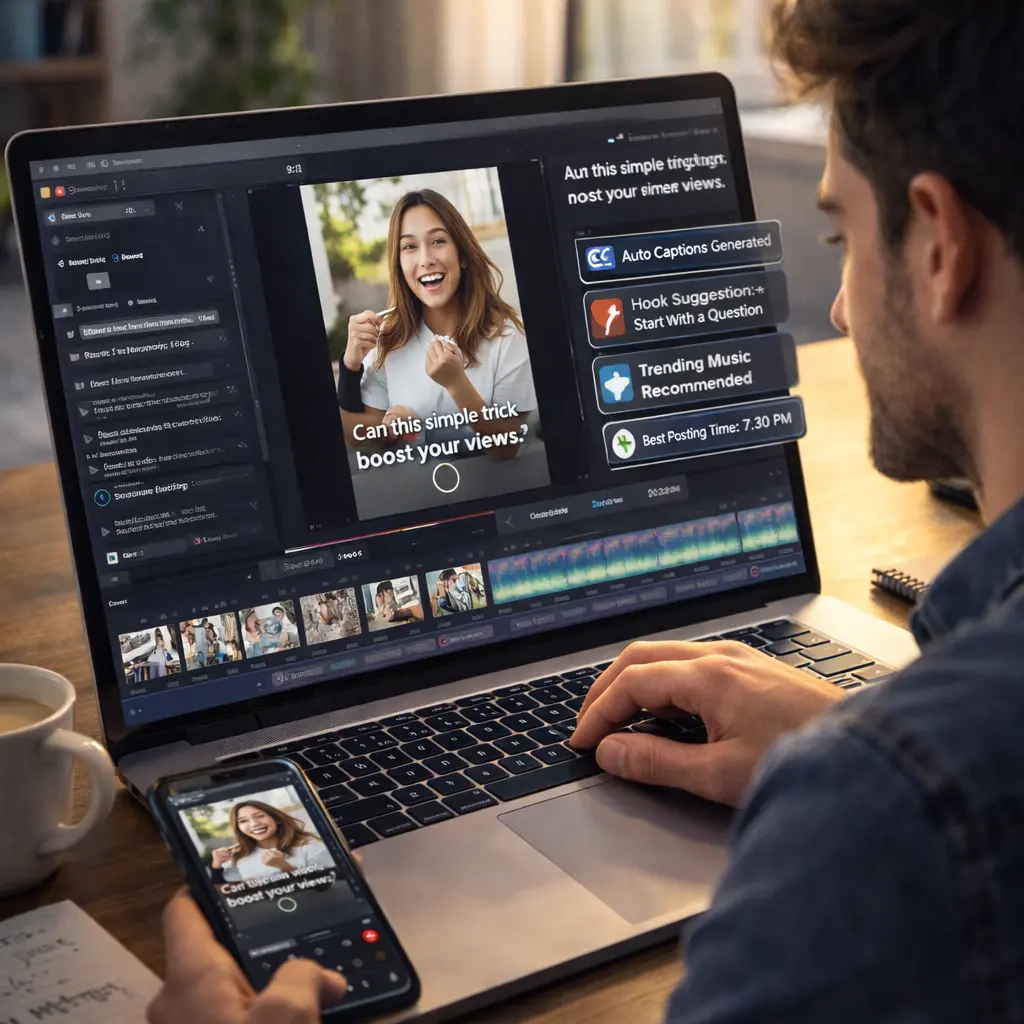
Auto-captioning — Tools like OpusClip and CapCut automatically transcribe speech and add animated captions in the viral style used by top creators (big text, word-by-word highlighting, emoji inserts).
Clip extraction from long videos — Tools like OpusClip analyze your long-form videos, identify the most engaging moments, cut them into Shorts, and add captions automatically. This is perfect for podcasters, educators, or anyone with existing long-form content.
The result is a complete Short created with minimal manual effort. AI handles execution. You handle strategy — choosing topics, reviewing quality, optimizing titles and thumbnails.
The 8 Best AI Tools for YouTube Shorts Creators
1. OpusClip — Turn Long Videos Into Shorts Automatically
What it does: OpusClip is an AI-powered clip maker that analyzes your long-form videos (podcasts, tutorials, vlogs) and automatically extracts the most engaging moments. It cuts them into Shorts, adds animated captions, and even gives each clip a “virality score” to help you pick the best ones to publish.
Why it’s useful: If you already create long-form content, OpusClip is the fastest way to repurpose it into Shorts without manual editing. It saves hours of reviewing footage to find clip-worthy moments.
Free tier: 60 minutes of video processing per month. That’s enough for 3-5 long videos turned into dozens of Shorts.
Best for: Podcasters, educators, commentators, vloggers — anyone with existing long-form content.
Personal take: This is my #1 recommendation for creators who already have video content. It’s fast, accurate, and the virality score actually helps identify which clips have the best chance of performing well.
2. InVideo AI — Text-to-Video Shorts Generator
What it does: InVideo AI creates complete Shorts from a single text prompt. You describe what you want, and it generates the script, finds stock footage or AI-generated visuals, adds voiceover, syncs captions, and exports a finished Short.
Why it’s useful: This is perfect for faceless channels. You don’t need to film anything. The AI handles everything — you just provide the topic and review the output.
Free tier: 10 minutes of AI-generated video per week. Exports include a watermark on the free plan.
Best for: Faceless YouTube channels, educational content, motivational Shorts, business explainers.
Personal take: InVideo AI is beginner-friendly and produces professional-looking results. If you’re just starting and don’t want to be on camera, this is the tool to try first.
3. Canva AI Shorts Maker — All-in-One Design and Video Tool
What it does: Canva’s AI Shorts Maker lets you create Shorts using templates, AI-generated visuals, or by uploading your own footage. It has built-in tools for text animations, transitions, music, and vertical formatting. Magic Media (Canva’s AI video generator) can create entire scenes from text descriptions.
Why it’s useful: Canva is already familiar to most creators for design work. The Shorts maker integrates seamlessly, so if you’re using Canva for thumbnails, you can also use it for Shorts without learning a new tool.
Free tier: Free Canva account includes access to basic Shorts templates and limited AI generations. Pro features require Canva Pro subscription.
Best for: Creators who want design control, marketers, small businesses, visual storytellers.
Personal take: Canva is less “automated” than InVideo or OpusClip, but it gives you more creative control. If you want your Shorts to have a specific visual style, Canva is the better choice.
4. CapCut — Mobile and Desktop AI Video Editor
What it does: CapCut is a free video editor with powerful AI features including auto-captions, background removal, text-to-speech, and AI-powered transitions. It’s optimized for Shorts with one-tap vertical formatting and trending templates.
Why it’s useful: CapCut is the most popular video editor among Shorts creators for a reason — it’s fast, free, mobile-friendly, and packed with features that make viral-style editing easy.
Free tier: Completely free with all features unlocked. No watermark.
Best for: Mobile creators, beginners, anyone who wants hands-on editing control with AI assistance.
Personal take: If you prefer to edit manually but want AI to speed up repetitive tasks (captions, music sync, transitions), CapCut is the perfect hybrid tool.
5. Higgsfield — AI Avatar and Video Generator
What it does: Higgsfield creates Shorts using AI avatars — digital characters that can speak your script with realistic facial expressions and lip-sync. You can upload your own face to create a digital twin or use pre-made avatars.
Why it’s useful: If you want a talking-head style Short but don’t want to be on camera yourself, AI avatars solve that problem. It also works for creating characters, explainer videos, or educational content with a host.
Free tier: Limited free generations. Paid plans start around $20/month.
Best for: Faceless creators, educators, business explainers, character-driven content.
Personal take: The avatars in 2026 are surprisingly realistic. If you’re camera-shy but want a human presence in your Shorts, this is worth trying.
6. Short AI — Automated Faceless Shorts Creator
What it does: Short AI generates complete faceless Shorts from text prompts or trending hashtags. It writes scripts with hooks, creates scenes using stock footage or AI visuals, adds voiceover, syncs captions, and formats everything for vertical video.
Why it’s useful: This is the most automated option on the list. You give it a topic, it handles everything. Perfect for creators who want to publish daily without spending hours on production.
Free tier: Basic plan includes limited video generations. Paid plans unlock unlimited creation.
Best for: Faceless channels, high-volume creators, automation-focused workflows.
Personal take: Short AI is ideal if you want quantity over customization. The output is consistent and professional, but it won’t have a unique visual style unless you manually edit.
7. Topview Viral Video Agent — Product and Marketing Shorts
What it does: Topview (powered by Sora 2) specializes in creating product demo and marketing Shorts. You upload a product image or video, and the AI generates a viral-style Short with dynamic visuals, text overlays, and trending music.
Why it’s useful: For ecommerce creators, marketers, or anyone promoting products, Topview creates scroll-stopping Shorts designed to drive clicks and conversions.
Free tier: Limited free generations. Focused on paid plans for businesses.
Best for: Ecommerce, dropshippers, marketers, product reviewers.
Personal take: If you’re selling products and need high-converting Shorts, Topview is built specifically for that. It understands what makes product videos perform on social media.
8. Jogg AI — Script-to-Avatar Video Creator
What it does: Jogg AI combines script generation, lifelike AI avatars, and multi-format exporting into one platform. You write or generate a script, choose an avatar, and it creates a talking-head Short with realistic expressions and voice.
Why it’s useful: For creators who want personality-forward content but don’t want to be on camera, Jogg AI provides a middle ground — realistic avatars that feel human without needing actual filming.
Free tier: Free trial available. Paid plans required for full access.
Best for: Educators, founders, thought leaders, anyone creating personality-driven content without appearing on camera.
Personal take: Jogg AI excels at avatar realism. If the avatar feels “off,” viewers disengage. Jogg AI’s avatars are good enough that most viewers don’t immediately notice they’re AI-generated.
Comparison Table: Which Tool for Which Goal?
| Goal | Best Tool | Why |
|---|---|---|
| Repurpose long videos into Shorts | OpusClip | Auto-extracts viral moments with captions |
| Create faceless Shorts from scratch | InVideo AI or Short AI | Full automation, text-to-video |
| Design-focused Shorts with custom visuals | Canva AI Shorts Maker | Creative control + AI assistance |
| Mobile-first editing with AI features | CapCut | Free, fast, mobile-optimized |
| Talking-head Shorts without being on camera | Higgsfield or Jogg AI | Realistic AI avatars |
| Product/marketing Shorts | Topview Viral Video Agent | Built for ecommerce conversions |
Real-World Impact: What Changes When You Use AI Tools
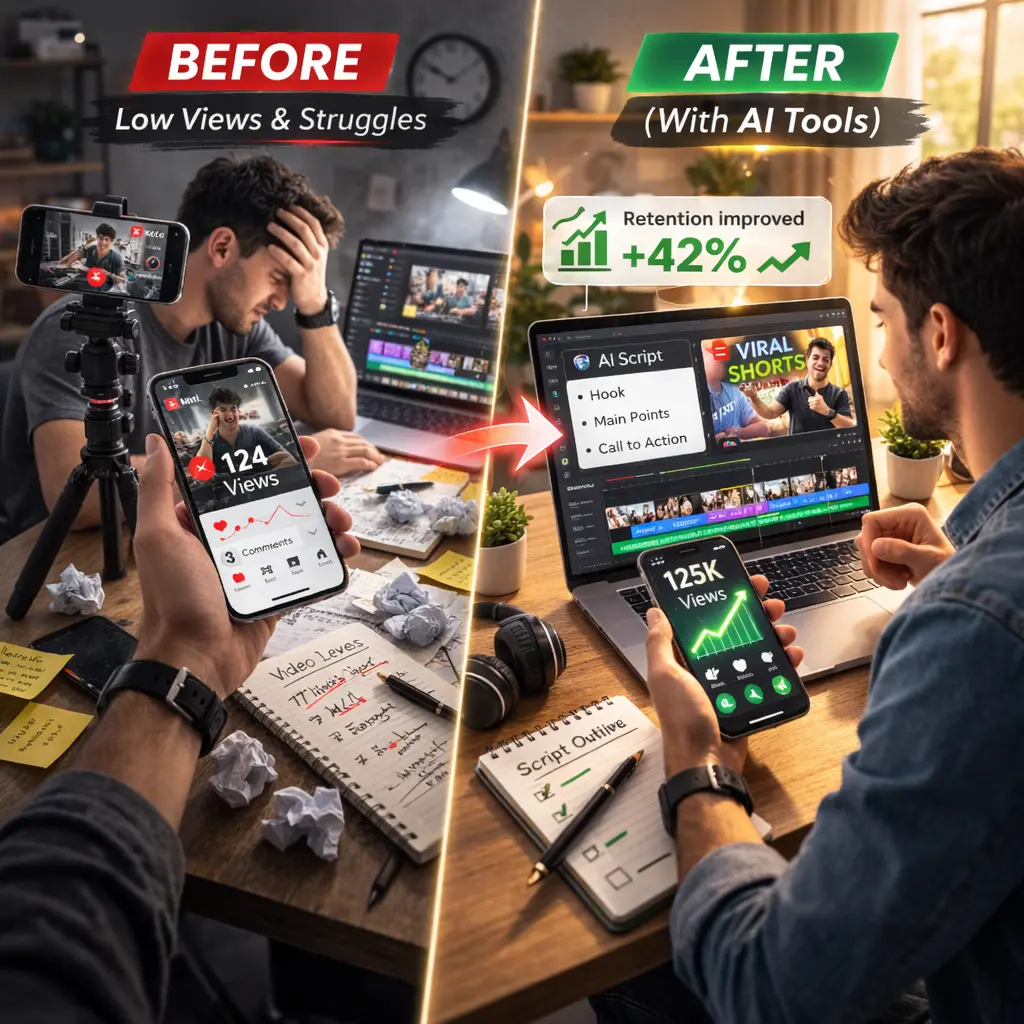
The time savings are dramatic. Creators report cutting Shorts production time from 2-3 hours per video to 10-20 minutes. That’s a 90% reduction.
But speed isn’t the only benefit. Consistency becomes easier. When creating a Short takes 10 minutes instead of 3 hours, publishing daily (or even 2-3 times per day) becomes realistic. The YouTube Shorts algorithm rewards consistency — more uploads mean more chances to go viral.
There’s also a psychological shift. When content creation feels effortless, you experiment more. You try different topics, styles, and hooks because the cost of failure is low. That experimentation leads to discovering what works for your niche.
For faceless creators specifically, AI tools remove the biggest barrier — not wanting to be on camera. Channels that previously couldn’t exist now thrive because AI avatars and stock footage fill that gap.
The growth metrics support this. Creators using AI tools report 30-50% faster subscriber growth compared to manual workflows, simply because they’re able to publish more frequently and test more content ideas.
Key Facts About AI Shorts Creation in 2026
YouTube Shorts now averages 200 billion daily views, making it one of the largest short-form video platforms globally.
Over 1 million YouTube channels use AI creation tools daily as of December 2025, according to YouTube CEO Neal Mohan’s 2026 letter.
AI-generated Shorts are fully monetizable on YouTube as long as they meet content guidelines and are original creations (not just reposted content).
YouTube announced in January 2026 that creators will soon be able to create Shorts using their own AI likeness, with protections to prevent unauthorized deepfakes.
Auto-dubbing powered by AI reached 6 million daily viewers watching at least 10 minutes of dubbed content in December 2025, showing massive adoption of AI language tools.
AI-generated captions and voiceovers now support 30+ languages, making Shorts accessible to global audiences without manual translation.
Expert Perspective: The Balanced View
AI tools are powerful, but they’re not a replacement for strategy.
The mistake many creators make is thinking AI will automatically make their content go viral. It won’t. AI handles production — scripting, editing, formatting. But it doesn’t guarantee virality. That still depends on choosing the right topics, understanding your audience, and testing what works.
The smart approach is to use AI to remove production bottlenecks, then spend the time you save on strategy — researching trends, analyzing what’s working in your niche, optimizing titles and thumbnails.
There’s also a content quality consideration. AI-generated Shorts can look professional, but they can also feel generic if everyone uses the same tools with the same templates. Customization matters. Add your own voice (literally or figuratively), tweak the visuals, inject personality. That’s what separates good AI-assisted content from forgettable content.
YouTube has explicitly stated they’re building systems to reduce “low-quality, repetitive AI content.” The platform wants AI-powered creativity, not AI spam. So use AI as a tool for expression, not mass production of generic content.
Future Outlook: What’s Coming in 2026 and Beyond
YouTube’s 2026 roadmap includes AI-powered Short creation using your own likeness. This means creators will be able to generate Shorts featuring a digital version of themselves without filming. Transparency and creator control over likeness usage will be built in.
Multi-modal AI tools will combine text, image, and video inputs seamlessly. You’ll be able to upload a photo, describe what you want, and AI will create a Short around it.
Real-time personalization is coming. AI will suggest Short topics based on trending searches in your niche, analyze your best-performing content, and recommend what to create next.
For creators, this means the barrier between idea and published content will shrink even further. The limiting factor won’t be technical skills or production resources — it will be creative thinking and audience understanding.
Final Takeaway for Beginners
Don’t try to use all eight tools at once. That’s overwhelming.
Pick one based on your situation:
- Have long-form content? Start with OpusClip.
- Want to create faceless Shorts? Start with InVideo AI.
- Prefer hands-on editing? Start with CapCut.
- Need design control? Start with Canva.
Use it to create 5-10 Shorts. See how it fits your workflow. If it saves time and feels natural, keep using it. If not, try a different tool.
The goal isn’t to automate everything. It’s to remove the friction that stops you from creating consistently. AI tools in 2026 are good enough to do that. Use them.
Frequently Asked Questions
1.Can AI-generated Shorts be monetized on YouTube?
Yes. AI-generated Shorts can be monetized through the YouTube Partner Program as long as they’re original content, meet YouTube’s guidelines, and you have the rights to all elements (visuals, music, voiceovers).
2.Do I need video editing skills to use these tools?
No. Tools like InVideo AI, Short AI, and Canva are designed for beginners. They automate the technical parts so you don’t need editing experience.
3.Will YouTube penalize AI-generated content?
YouTube doesn’t penalize AI content. But they do penalize low-quality, repetitive, or spam content. If your AI-generated Shorts provide value and follow guidelines, they’re treated the same as manually created content.
4.How much do AI Shorts tools cost?
Many have free tiers (OpusClip, InVideo AI, CapCut, Canva). Paid plans range from $10-50/month depending on features and usage limits. Most creators start with free plans.
5.Can I use AI-generated voices without getting copyrighted?
Yes, if you’re using AI voices from reputable tools (ElevenLabs, InVideo AI, etc.) that grant you usage rights. Don’t use unauthorized voice clones or celebrity voices.
6. How long does it take to create a Short with AI?
10-20 minutes on average, including reviewing and exporting. Fully automated tools like InVideo AI can generate a complete Short in 2-3 minutes.
7.Do AI tools work for all types of Shorts content?
They work best for educational, motivational, commentary, product demos, and faceless content. They’re less effective for highly personal vlogs or content that requires authentic human presence.
8.What’s the biggest mistake beginners make with AI Shorts tools?
Relying entirely on AI without adding any personal touch. The best results come from using AI for production and adding your own strategy, voice, and creativity on top.