

Why this topic really matters
It is no longer “future tech” or something only engineers discuss.
By 2026, AI has become part of our lives in our studies, jobs, businesses, content creation, and decision-making in an unseen manner. AI tools for beginners
For beginners, this creates two very real problems:
- Confusion – too many AI tools, too much hype, no clarity
- Fear of missing out – “Agar ab nahi seekha, peeche reh jaunga”
This topic matters because AI tools are now:
- Saving time (hours per week)
- Reducing cost (software, manpower)
- Creating new skills without technical background
- Influencing career paths and income
If beginners choose the wrong tools, they waste time.
If they choose the right tools, they gain an unfair advantage.
That’s why this guide is not about “top 100 tools”, but about what actually helps beginners in real life.
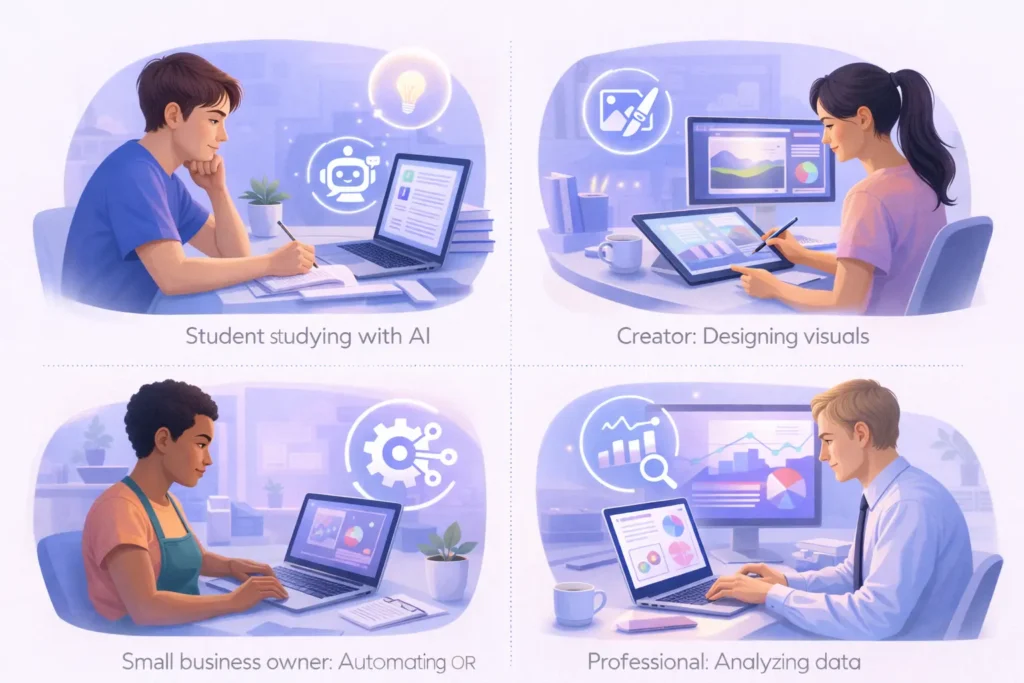
Who should care about this
Beginners & Students
- Want to study smarter, not harder
- Need help with notes, explanations, projects
- Don’t know coding or technical terms
Working Professionals
- Want to save time at work
- Improve productivity without changing jobs
- Learn AI slowly alongside their routine
Creators & Bloggers
- Writing, ideas, research, thumbnails
- Faster output without burnout
- Consistency without a big team
Small Business Owners
- Limited budget
- Need marketing, content, customer replies
- Can’t hire full teams
If you fall into any one of these categories, AI tools directly affect your future efficiency.
What most blogs are missing about this topic
Most blogs do three big mistakes:
- Only list tools
→ No explanation of who should use what and why - Overhype AI
→ “AI will replace everything” (false and dangerous thinking) - Ignore beginner reality
→ They assume you already know prompts, settings, workflows
What they don’t tell you:
- Which AI tools are actually usable without tech skills
- Where AI fails and creates wrong results
- How beginners should start slow, not blindly
This article fills that gap with experience-based clarity, not marketing language.
Deep explanation in simple words
Think of AI tools like smart assistants, not magic machines.
Old way (before AI):
- You think → You write → You edit → You search → You repeat
(High effort, slow results)
New way (with AI):
- You explain your problem → AI gives a starting point
- You improve it using your brain
👉 AI doesn’t replace thinking
👉 AI reduces friction
Example (simple):
- You want to write an article
AI = first draft + structure
Human = judgement + clarity + emotion
That’s why beginners win with AI — if used correctly.
Best AI tools beginners can actually use (2026)
Below are beginner-friendly, practical AI tools — not hype tools.
🔹 1. ChatGPT (Writing, learning, clarity)
Best for: Students, beginners, bloggers
What it solves: Confusion, blank page problem
Real use-case:
- “Explain blockchain like I’m 10”
- Draft emails, blogs, notes
Pros
- Simple interface
- No technical setup
- Multi-purpose
Cons
- Needs good questions
- Can give confident but wrong answers
🔹 2. Canva AI (Design without designer)
Best for: Creators, small businesses
What it solves: Design fear
Real use-case:
- Thumbnails
- Instagram posts
- Presentations
Pros
- Drag-and-drop
- Ready templates
- No design skills needed
Cons
- Limited originality if overused
🔹 3. Notion AI (Organising life & work)
Best for: Students, professionals
What it solves: Messy notes, planning confusion
Real use-case:
- Study planner
- Content calendar
- Task summaries
Pros
- Clean workflow
- Saves mental load
Cons
- Takes time to set up properly
🔹 4. Grammarly AI (Clarity, not just grammar)
Best for: Non-native English users
What it solves: Confidence in writing
Real use-case:
- Emails
- Blog edits
- Professional tone
Pros
- Improves clarity
- Easy corrections
Cons
- Over-polishing risk
🔹 5. Perplexity AI (Research without noise)
Best for: Curious learners, bloggers
What it solves: Google overload
Real use-case:
- Quick explanations
- Source-based answers
Pros
- Direct answers
- References included
Cons
- Limited creative help
Real-world implications (no hype)
Time
- Saves 30–50% effort if used smartly
- But over-dependence slows learning
Cost
- Many tools are free or low-cost
- Replace multiple paid software
Risks
- Blind trust = wrong decisions
- Copy-paste content = low credibility
Long-term impact
- AI skill becomes basic literacy (like email once was)
- Those who understand AI early gain edge
Comparison with closest alternatives
| Feature | Traditional Tools | AI Tools |
|---|---|---|
| Learning curve | High | Low |
| Speed | Slow | Fast |
| Cost | Fixed | Flexible |
| Creativity support | Limited | Strong |
| Future relevance | Declining | Growing |
Plain truth:
AI tools don’t replace old tools — they upgrade them.
Key facts
- Most AI tools are assistive, not autonomous
- Output quality depends on input clarity
- AI errors increase when context is missing
Expert perspective
From 10+ years of tech evolution, one pattern is clear:
Tools don’t kill skills.
Bad understanding does.
AI rewards:
- Curious users
- Clear thinkers
- Ethical usage
AI punishes:
- Lazy copy-paste
- Shortcut mindset
Beginners should treat AI like a calculator, not a brain.
What this means for the next 3–5 years
- AI tools become default in schools and offices
- “AI-aware” people outperform purely manual workers
- Soft skills + AI = strongest combination
Skills to prepare:
- Asking better questions
- Critical thinking
- Digital responsibility
Final takeaway for beginners
If you’re new to AI:
- Don’t chase every tool
- Start with 2–3 tools
- Use AI to assist, not replace thinking
- Learn slowly, consistently
AI is not here to make you lazy.
It’s here to make you capable faster.
FAQs
Q1. Are AI tools safe for beginners?
Yes, if used responsibly and not blindly trusted.
Q2. Can beginners use AI without coding?
Absolutely. Most beginner tools are no-code.
Q3. Are free AI tools enough?
Yes, for starting. Paid plans are optional later.
Q4. Will AI replace jobs?
AI replaces tasks, not thinking. Skills still matter.
Q5. Which AI tool should I start with?
ChatGPT + Canva AI is a strong beginner combo.
Q6. Can AI content rank on Google?
Yes, if human-edited, original, and valuable.
Q7. Should students use AI for studies?
Yes, for understanding — not cheating.