
I spent my first month with ChatGPT getting frustrated. I’d type “write a blog post about AI” and get generic 500-word garbage I couldn’t use. I’d ask “make me a marketing plan” and receive vague bullet points that helped nobody. I thought AI was overhyped — until I learned prompt engineering for beginners.
One simple change to how I wrote prompts changed everything. Instead of “write a blog post about AI,” I wrote: “Write a 1,500-word blog post about AI productivity tools for remote workers. Tone: conversational but professional. Include 5 specific tools with use cases. Target audience: non-technical managers aged 30-45.” The output went from useless to publishable in one prompt.
That’s prompt engineering — the skill of communicating with AI to get exactly what you need. This article is the complete beginner’s guide to writing prompts that actually work in 2026, with frameworks, examples, and the exact techniques that transformed my AI outputs from mediocre to exceptional.
What is Prompt Engineering (Simple Definition)
Prompt engineering is the art and science of writing instructions (prompts) that make AI tools like ChatGPT, Claude, Gemini, or Midjourney produce the exact output you want.
Why it matters:
- Same AI tool + bad prompt = garbage output
- Same AI tool + good prompt = professional-quality output
- The difference is entirely in how you write the prompt
Real example:
- Bad prompt: “Help me with marketing”
- Good prompt: “Create a 90-day content marketing plan for a B2B SaaS company selling project management software to teams of 10-50 people. Include content types, posting frequency, and distribution channels.”
The reality in 2026: AI models are incredibly powerful, but they’re not mind readers. Prompt engineering is the skill that unlocks that power.
Why Most Beginners Fail at Prompting
Common beginner mistakes:
1. Too vague: “Write something good”
- AI doesn’t know what “good” means to you
- No context, no constraints, no direction
2. Too short: “Blog post”
- Missing: Length? Topic? Tone? Audience?
- AI fills gaps with generic assumptions
3. No specificity: “Make it better”
- Better how? Style? Length? Accuracy?
- AI guesses randomly
4. Assuming context: “Continue from before”
- AI has no memory between conversations (usually)
- Always provide full context in each prompt
The core problem: Beginners treat AI like Google search (short keywords). AI works best with clear instructions, like you’re briefing a talented but inexperienced assistant.
THE 6-PART PROMPT FRAMEWORK
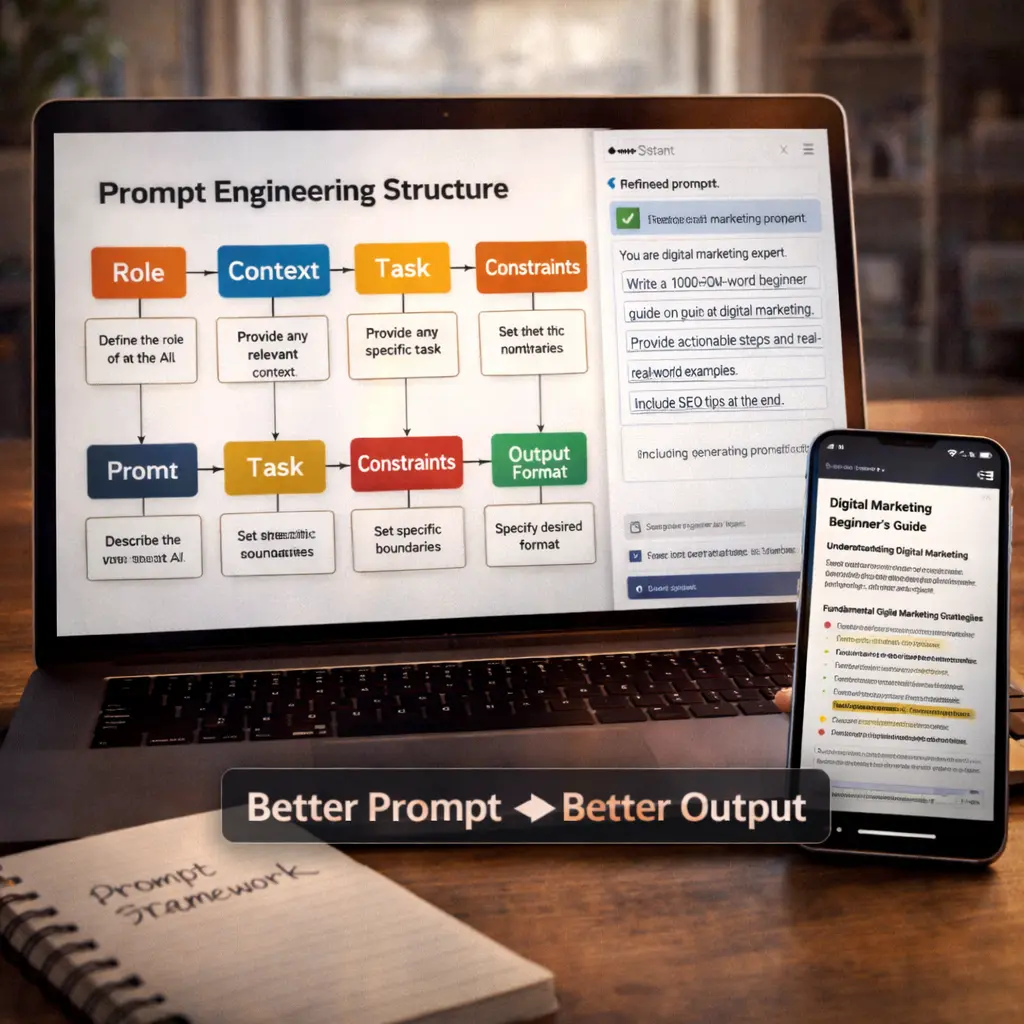
This framework works for 90% of prompts across ChatGPT, Claude, Gemini, and other text AI:
1. ROLE (Who should AI be?)
Tell AI what role to take. This sets the knowledge base and tone.
Examples:
- “You are an experienced copywriter…”
- “You are a Python programming tutor…”
- “You are a professional email writer…”
- “You are a social media strategist…”
Why it works: AI adjusts its vocabulary, expertise level, and approach based on role.
Bad: “Write code” Good: “You are a senior Python developer. Write code…”
2. TASK (What exactly do you want?)
Be crystal clear about the specific output you need.
Examples:
- “Write a 1,000-word blog post about…”
- “Create a 7-day meal plan for…”
- “Generate 10 Instagram caption ideas for…”
- “Explain quantum computing to a 10-year-old…”
Specificity matters:
- Include word count, number of items, format
- Use action verbs: Write, Create, Generate, Explain, Summarize
Bad: “Tell me about SEO” Good: “Write a 500-word beginner’s guide to SEO for small business owners who have zero technical knowledge”
3. CONTEXT (What background info does AI need?)
Provide relevant details AI can’t assume.
Examples:
- “My target audience is college students in India…”
- “This is for a B2B SaaS company selling to enterprises…”
- “I’m writing for complete beginners with no coding experience…”
- “This content will be posted on LinkedIn for professional audience…”
Why it matters: Same task, different context = completely different outputs.
Example:
- Context A: “For professional investors” → Technical financial analysis
- Context B: “For college students” → Simple, relatable money tips
4. FORMAT (How should output be structured?)
Specify the exact format you want.
Examples:
- “Format as a numbered list”
- “Use bullet points with brief explanations”
- “Write in email format with subject line”
- “Create a table with 3 columns: Feature, Benefit, Example”
- “Write in first person, conversational tone”
Power tip: Ask for specific structures like “Introduction (100 words) + 3 main sections (300 words each) + Conclusion (100 words)”
5. CONSTRAINTS (What are the limits?)
Set boundaries to focus AI’s output.
Examples:
- “Keep under 200 words”
- “Use only simple vocabulary (8th grade reading level)”
- “Don’t use jargon or technical terms”
- “Write in British English”
- “Avoid mentioning competitors”
Common constraints:
- Length (word count, character limit)
- Reading level (simple, technical, expert)
- Tone (formal, casual, funny, serious)
- Content to avoid
6. EXAMPLES (Show AI what you want)
Provide examples of desired output style.
Example prompt: “Write 3 social media captions like these:
Example 1: ‘Just discovered this AI tool saves me 10 hours weekly. Mind blown 🤯’ Example 2: ‘Here’s the productivity hack nobody talks about: [insight]’
Now write 3 more in similar style about [your topic].”
Why examples work: AI learns your exact style, structure, and tone from real examples.
PUTTING IT ALL TOGETHER: COMPLETE PROMPT EXAMPLE
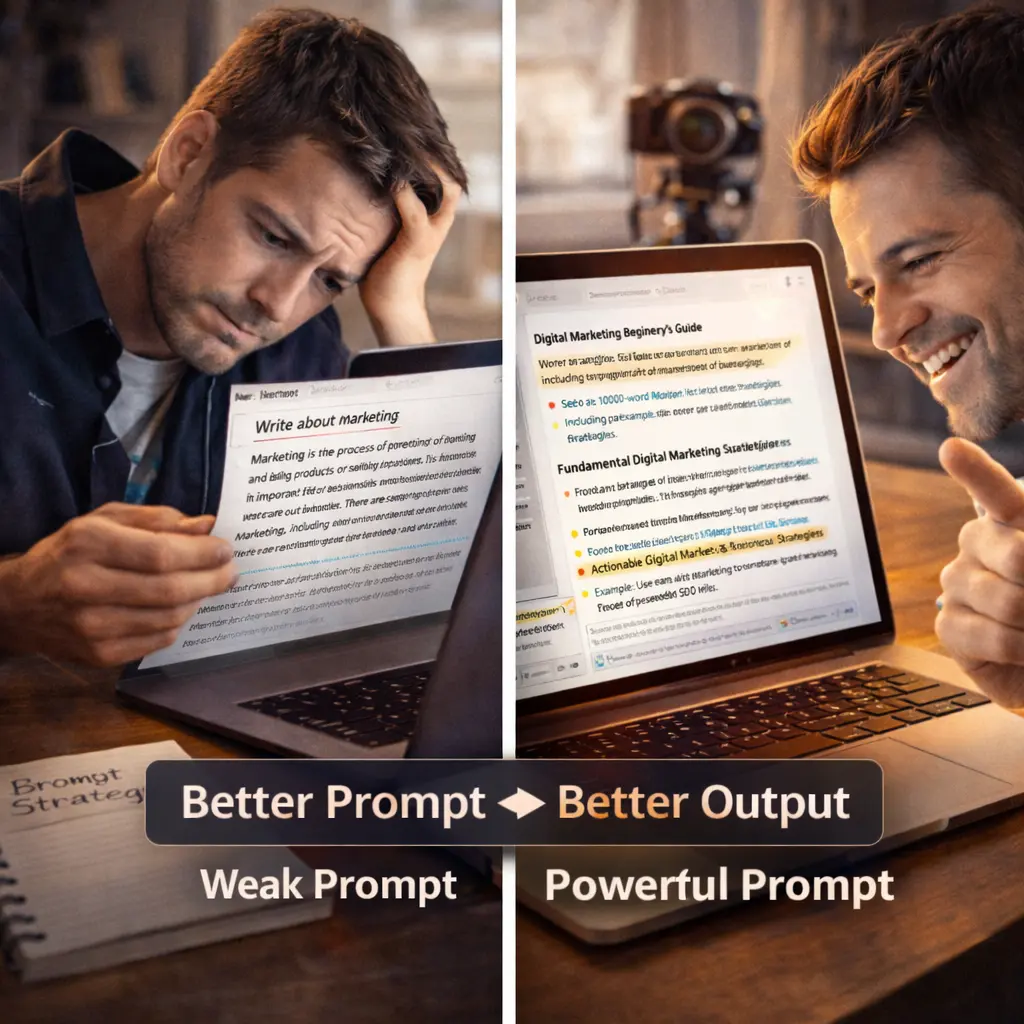
Bad prompt: “Write about AI tools”
Good prompt using framework:
“[ROLE] You are an experienced tech blogger who writes for non-technical professionals.
[TASK] Write a 1,200-word blog post about 5 AI productivity tools for remote workers.
[CONTEXT] Target audience: Managers aged 30-50 who work from home but aren’t tech-savvy. They’re overwhelmed by work and looking for practical solutions.
[FORMAT] Structure:
- Engaging intro (150 words) – hook with relatable problem
- Tool 1-5 (200 words each): Name, what it does, specific use case, pricing
- Conclusion (100 words) – clear next step
[CONSTRAINTS]
- Keep language simple (no jargon)
- Focus on practical benefits, not technical features
- Tone: Friendly, encouraging, not salesy
- Include at least one free tool option
[EXAMPLES] Write in similar style to this intro: ‘I used to spend 3 hours daily on tasks that now take 30 minutes. The secret? Five AI tools most people don’t know about…'”
Result: This detailed prompt produces professional, publishable content vs the vague “write about AI tools” garbage.
ADVANCED PROMPTING TECHNIQUES
TECHNIQUE 1: Chain of Thought (Step-by-Step Reasoning)
Instead of asking for direct answer, ask AI to think through the problem.
Example: “Before answering, think through this step-by-step:
- What are the key factors to consider?
- What are pros and cons of each option?
- What would you recommend and why?
Question: Should I learn Python or JavaScript as my first programming language?”
Why it works: AI produces better answers when it “thinks out loud” first.
TECHNIQUE 2: Persona + Perspective
Combine role with specific perspective.
Example: “You are a skeptical investor who has seen countless failed startups. Review my business plan and point out every potential flaw, risk, and unrealistic assumption. Be brutally honest.”
Result: Critical analysis vs generic positive feedback.
TECHNIQUE 3: Iterative Refinement
Start broad, then refine with follow-up prompts.
Prompt 1: “Give me 20 blog post ideas about AI for beginners” Prompt 2: “Take idea #7 and expand it into a detailed outline” Prompt 3: “Write the introduction section from that outline”
Why it works: Breaking complex tasks into steps produces better results than one massive prompt.
TECHNIQUE 4: Few-Shot Learning
Provide 2-3 examples before asking for output.
Example: “Here are examples of good product descriptions:
Example 1: ‘This ergonomic mouse reduced my wrist pain by 80% in 2 weeks. The thumb rest angle is perfect for 8-hour work days.’
Example 2: ‘Noise-cancelling earbuds that actually work. I tested in coffee shop – complete silence. Battery lasts 12 hours, no charging anxiety.’
Now write a product description for wireless keyboard in similar style.”
TECHNIQUE 5: Temperature Control (If Available)
Some tools let you adjust “creativity” level.
- Low temperature (0.1-0.3): Factual, consistent, predictable outputs (good for data, code, formal writing)
- Medium temperature (0.5-0.7): Balanced (most use cases)
- High temperature (0.8-1.0): Creative, varied, unpredictable (good for brainstorming, creative writing)
PROMPTING FOR DIFFERENT AI TOOLS
ChatGPT / Claude / Gemini (Text AI)
Best for: Writing, analysis, coding, brainstorming
Optimization tips:
- Use conversation mode for iterative tasks
- Ask for revisions: “Make it shorter/funnier/more professional”
- Use “Regenerate” to get multiple versions
Example prompt: “Write 3 different email subject lines for a SaaS product launch. Test variations: one straightforward, one curiosity-driven, one benefit-focused.”
Midjourney / DALL-E / Stable Diffusion (Image AI)
Best for: Generating images, art, designs
Prompt formula: [Subject] + [Style] + [Mood] + [Technical details]
Example: “Coffee shop interior, Scandinavian minimalist design, warm cozy atmosphere, natural lighting through large windows, wide angle lens, photorealistic, 8k quality”
Key elements:
- Subject: What’s in the image
- Style: Art style, design aesthetic
- Mood: Emotional tone, lighting
- Technical: Camera angle, quality, details
Other Specialized AI Tools
Code (GitHub Copilot, Replit AI):
- Include programming language
- Specify framework/libraries
- Add comments explaining logic
Example: “Write Python function using pandas library to read CSV, remove duplicate rows, export cleaned data. Include error handling.”
COMMON PROMPTING MISTAKES TO AVOID
Mistake #1: Asking AI to “Be Creative” Without Direction
Bad: “Write something creative” Good: “Write a sci-fi short story (500 words) about AI gaining consciousness, told from the AI’s perspective, with a twist ending”
Mistake #2: Assuming AI Knows Your Industry Jargon
Bad: “Explain our GTM strategy for the B2B SaaS vertical” Good: “Explain go-to-market strategy for business-to-business software-as-a-service companies. Target audience: non-technical founders.”
Mistake #3: One Giant Prompt for Complex Tasks
Bad: “Plan my entire business, create marketing strategy, write website copy, and design logo” (in one prompt) Good: Break into 5 separate prompts, each focused on one deliverable
Mistake #4: Not Iterating
First output rarely perfect. Use follow-ups:
- “Make it 30% shorter”
- “Add more specific examples”
- “Change tone to more casual”
- “Focus more on [specific aspect]”
Mistake #5: Ignoring Output Format
Without format specification, AI chooses randomly. Always specify:
- Bullet points vs paragraphs
- Email vs document vs social post
- First person vs third person
REAL-WORLD PROMPT EXAMPLES
Example 1: Business Email
Bad: “Write email”
Good: “You are a professional business email writer. Write a polite follow-up email to a potential client who hasn’t responded to my proposal sent 1 week ago.
Context: I’m a freelance graphic designer, they inquired about branding package (₹50,000), I sent proposal last Monday.
Tone: Professional but friendly, not pushy. Length: 100-150 words. Include: Gentle reminder, offer to answer questions, clear call-to-action.
Format: Subject line Email body Sign-off”
Example 2: Social Media Content
Bad: “Instagram caption”
Good: “You are a social media expert specializing in Instagram growth for small businesses.
Create 5 Instagram captions for a coffee shop posting a photo of latte art.
Context: Local coffee shop, target audience is 25-40 year old professionals who value quality coffee and aesthetics.
Requirements for each caption:
- Hook in first line (7 words max)
- 2-3 sentences about the product/experience
- Call-to-action (visit, tag friend, or comment)
- 3-5 relevant hashtags
- Emoji usage: minimal, strategic
Tone: Warm, inviting, not overly promotional”
Example 3: Learning/Tutoring
Bad: “Explain AI”
Good: “You are a patient tutor explaining complex topics to complete beginners.
Explain how AI language models work using the Feynman technique (explain like teaching a child).
Requirements:
- Use everyday analogies (no technical jargon)
- Start with familiar concepts, build up to AI
- Include 2-3 concrete examples
- Format as Q&A with 5 common questions
- Length: 500 words total
Audience: High school student with no computer science background”
PROMPTING FOR DIFFERENT GOALS
For Research/Learning:
Template: “You are an expert in [field]. Explain [concept] to someone who knows about [related field] but not [specific topic]. Include real-world examples and common misconceptions.”
For Content Creation:
Template: “You are a [writer type]. Create [content type] about [topic] for [audience]. Tone: [adjective]. Length: [words]. Must include [requirements]. Format as [structure].”
For Problem-Solving:
Template: “You are a [expert role]. I have this problem: [describe situation]. Walk me through 3 different solutions. For each, explain: what it is, pros/cons, when to use it. Then recommend which is best for my situation and why.”
For Brainstorming:
Template: “You are a creative brainstorming partner. Generate 20 [ideas type] for [goal/project]. Include mix of: 10 safe/proven ideas + 10 creative/risky ideas. For each, give 1-sentence description.”
TOOLS TO IMPROVE YOUR PROMPTING
1. PromptPerfect ($0-29/month)
- Analyzes your prompts
- Suggests improvements
- Tests variations
2. ChatGPT Prompt Generator (free)
- Meta-prompting: Ask ChatGPT to write prompts for you
- “Write me a prompt to generate [desired output]”
3. Anthropic Prompt Library (free)
- Claude’s official prompt examples
- Categorized by use case
4. AIPRM for ChatGPT (free Chrome extension)
- 1,000+ ready-made prompt templates
- Community-contributed prompts
MEASURING PROMPT QUALITY
How to know if your prompt is good:
✅ Specificity: Could someone else use this prompt and get similar results? ✅ Clarity: Is every instruction unambiguous? ✅ Completeness: Have you provided all necessary context? ✅ Constraints: Are limitations clearly defined? ✅ Format: Is output structure specified?
Test: If prompt produces exactly what you wanted on first try = good prompt.
THE 80/20 OF PROMPT ENGINEERING
20% of techniques that produce 80% of results:
- Be specific (vague = bad output)
- Provide context (who, what, why, where)
- Specify format (bullets, email, table, etc.)
- Set constraints (length, tone, complexity)
- Iterate (first output rarely perfect)
Master these 5, you’re better than 90% of AI users.
FAQs
Q1: Do I need to learn coding to do prompt engineering?
No. Prompt engineering is about clear communication in plain English, not programming.
Q2: How long to get good at prompt engineering?
2-4 weeks of daily practice. Write 5-10 prompts daily, analyze results, refine.
Q3: What’s the best AI tool to practice with?
ChatGPT free tier. Widely available, user-friendly, good for learning.
Q4: Can AI write prompts for me?
Yes! Meta-prompting: “Write me a detailed prompt to generate [what you want]”
Q5: Do prompts work the same across all AI tools?
Core principles yes, but each tool has quirks. ChatGPT vs Midjourney need different styles.
Q6: Should I save my best prompts?
Absolutely. Build a personal prompt library. Copy-paste and modify for similar tasks.
Q7: What if AI still gives bad output after good prompt?
Iterate. “This is close but [specific issue]. Please revise by [specific instruction].
Q8: Is prompt engineering worth learning in 2026?
Yes. As AI becomes ubiquitous, prompt engineering is the new “Google search skills.” High-value skill.