
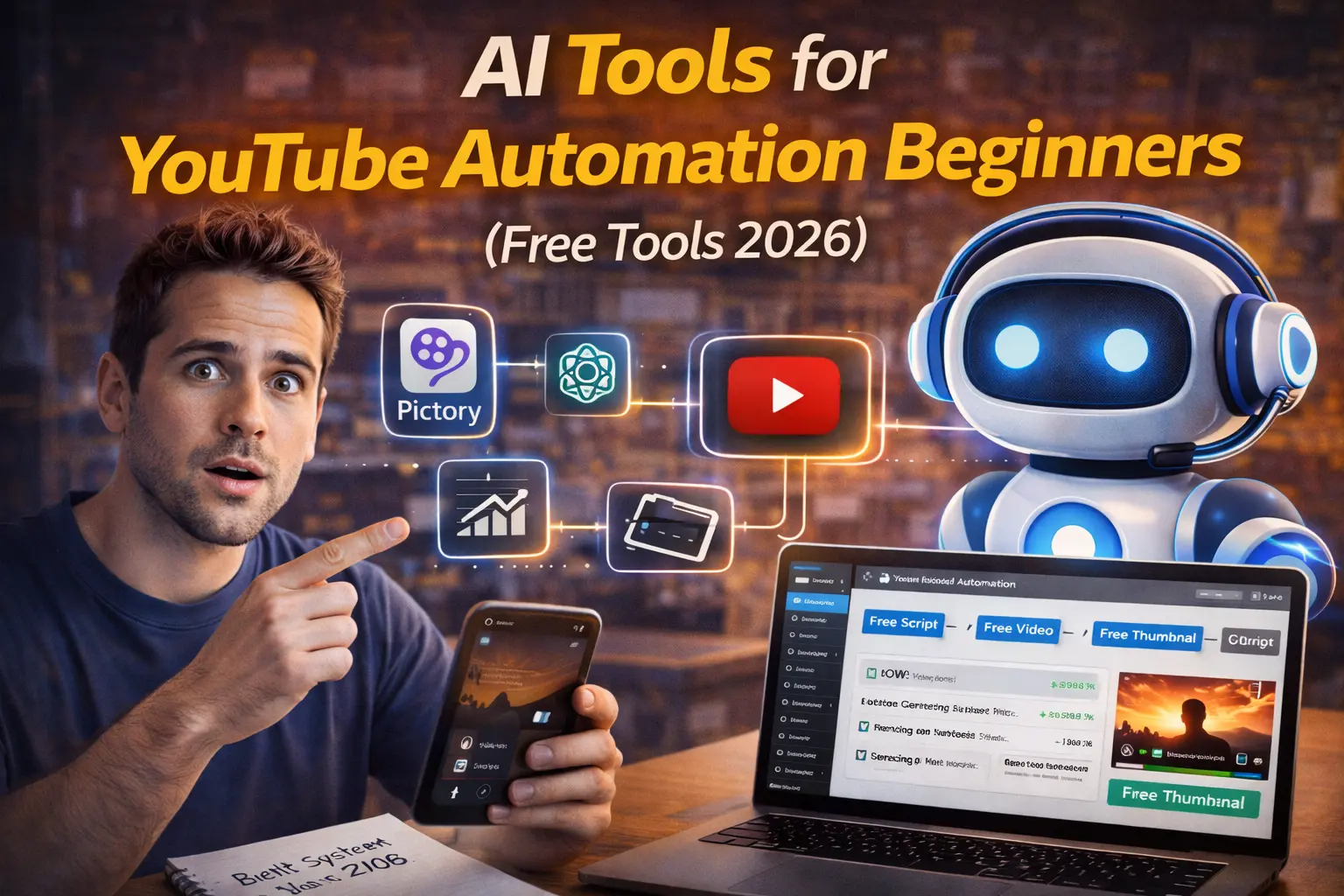
I launched my first YouTube automation channel in May 2024 with zero budget. No fancy software subscriptions, no expensive stock footage licenses, no professional voiceover artists. Just free AI tools and determination. Six months later, that channel hit monetization (1,000 subscribers, 4,000 watch hours) and now earns ₹35,000-₹55,000 monthly from AdSense alone.ai tools for youtube automation
This wasn’t luck. This was using the exact free AI tools that YouTube automation actually requires — not the expensive tools YouTubers promote for affiliate commissions, but the genuinely free tools that do 90% of the work without costing a rupee.
This article is the complete beginner’s guide to YouTube automation using only free AI tools in 2026. Every tool mentioned has a genuinely usable free tier. No “free trials” that expire. No hidden costs. Just the real free toolkit that works.
What YouTube Automation Actually Means
Let’s clear up the confusion first. YouTube automation doesn’t mean “upload and forget.” It means using AI tools to create videos without being on camera, without expensive equipment, and without traditional video production skills.
What you automate:
- Script writing (AI generates)
- Voiceover (AI narrates)
- Video editing (AI assembles)
- Thumbnail creation (AI designs)
- Research (AI finds topics)
What you don’t automate:
- Strategy (which niche, which topics)
- Quality control (reviewing AI output)
- Optimization (titles, tags, descriptions)
- Consistency (posting schedule)
The business model:
- Pick profitable niche (finance, tech, health)
- Create videos using AI tools (no filming)
- Post consistently (2-3 videos/week)
- Reach monetization (1K subs, 4K watch hours)
- Earn AdSense revenue (₹20K-₹1L+ monthly)
Reality check: This takes 4-8 months to monetize. It’s not passive income initially. But once monetized, you can earn ₹50K-₹2L/month working 10-15 hours weekly.
THE 12 BEST FREE AI TOOLS FOR YOUTUBE AUTOMATION
1. ChatGPT Free — Script Writing
What it does: Generates complete video scripts from topic ideas.
Why it’s essential:
- Unlimited text generation (GPT-3.5 free)
- Understands YouTube structure (hook, body, CTA)
- Creates SEO-optimized titles
- Generates video descriptions
How to use for YouTube:
Prompt 1 – Topic Ideas: “Generate 10 YouTube video ideas for a [niche] channel targeting beginners. Focus on high-search, low-competition topics.”
Prompt 2 – Full Script: “Write a 10-minute YouTube script about [topic]. Structure:
- Hook (first 15 seconds to grab attention)
- Introduction (30 seconds)
- Main content (3 key points, 8 minutes)
- Conclusion + CTA (subscribe reminder) Target audience: [describe audience]”
Output: Complete script ready for voiceover.
Time saved: 2 hours manual scripting → 3 minutes with ChatGPT.
Personal take: I use ChatGPT for 100% of my scripts. The key is editing the output to add personality, not copy-pasting raw AI.
2. Google Bard (Gemini) Free — Research & Fact-Checking
What it does: Searches the web in real-time, provides citations, fact-checks information.
Why it’s better than ChatGPT for research:
- Accesses current information (ChatGPT’s knowledge cuts off)
- Provides source links
- Great for news/trending topics
- Completely free, unlimited
How to use: “Research the latest developments in [topic]. Provide 5 key points with sources for a YouTube video.”
Best for: News channels, tech updates, trending topics, fact-based content.
Personal take: I use Bard for research, ChatGPT for writing. Best combination.
3. ElevenLabs Free — AI Voiceover
What it does: Convert text to ultra-realistic voiceover. Free tier: 10,000 characters/month (about 8-10 videos).
Why it’s the best free voiceover tool:
- Most natural-sounding AI voice
- Multiple voices/accents
- Emotional control
- No robotic sound
How to use:
- Copy script from ChatGPT
- Paste into ElevenLabs
- Choose voice (test 3-4 options first)
- Adjust speed (1.0-1.1x for YouTube)
- Download MP3
Free tier limits: 10,000 characters/month = 8-10 videos (assuming 1,000 words per script)
Workaround for more videos: Use multiple email accounts (not ideal but works).
Best for: Faceless channels, educational content, narration.
Personal take: My entire channel uses ElevenLabs. Nobody knows it’s AI.
4. Pexels + Pixabay — Free Stock Footage
What it does: Copyright-free video clips and images. Completely free, no attribution required.
Why you need this:
- No copyright strikes
- Professional-looking visuals
- Huge library (millions of clips)
- Can monetize videos using this footage
How to use:
- Search for clips related to your script
- Download 1080p or 4K
- Import to video editor
- Use as B-roll while voiceover plays
Pro tip: Download 10-15 clips per video to keep visuals dynamic.
Personal take: 80% of my video footage is from Pexels. High quality, zero cost.
5. DaVinci Resolve Free — Video Editing
What it does: Professional video editor. Free version is fully functional (unlike Premiere Pro).
Why it’s the best free editor:
- No watermark
- No export limits
- 4K support
- Color grading, effects, everything
Learning curve: Steeper than CapCut, but worth it for YouTube.
How to use for automation:
- Import voiceover (from ElevenLabs)
- Import stock footage (from Pexels)
- Sync footage to voiceover
- Add text overlays for key points
- Export 1080p MP4
Alternative (easier): CapCut Desktop (also free, simpler interface)
Personal take: I started with CapCut (easier), moved to DaVinci (more control). Both work great.
6. Canva Free — Thumbnail Design
What it does: Design thumbnails with AI assistance. Free tier has tons of templates.
Why thumbnails matter:
- 50% of clicks depend on thumbnail
- Bad thumbnail = video won’t get views regardless of quality
How to create winning thumbnails:
- Use Canva “YouTube Thumbnail” template
- Bold text (3-5 words max)
- Contrasting colors (red/yellow text on dark background)
- Human face with emotion (even if your channel is faceless)
- Export as PNG
Free tier limits: Unlimited basic templates, limited AI features.
Personal take: My CTR went from 2% to 6% after improving thumbnails. Game-changer.
7. TubeBuddy Free — SEO & Tag Research
What it does: YouTube SEO tool. Shows search volume, competition, suggests tags.
Why it’s essential:
- Find low-competition keywords
- Optimize titles for search
- Analyze competitors
- Track rankings
How to use:
- Install Chrome extension (free)
- Search for topic on YouTube
- TubeBuddy shows search volume + competition
- Pick topics with high search, low competition
- Use suggested tags in your video
Free tier limits: Basic keyword research (enough to start)
Best for: Finding topics that will actually get views.
Personal take: I research every topic with TubeBuddy before creating video. Saves wasted effort.
8. Pictory.ai Free — Script-to-Video Automation
What it does: Paste script, AI creates video automatically with stock footage, voiceover, captions.
Free tier: 3 videos/month (with watermark)
Why it’s valuable despite limits:
- Complete automation (zero manual editing)
- Perfect for testing channel ideas
- Good for simple explainer videos
How to use:
- Paste ChatGPT script
- AI selects relevant stock footage
- AI generates voiceover
- Review and adjust clips
- Export (watermark on free tier)
Limitation: 3 videos/month, watermark (but you can edit watermark out in DaVinci)
Best for: Complete beginners, testing channel viability.
9. Descript Free — Transcript-Based Editing
What it does: Edit video by editing text transcript. Delete words = delete video.
Free tier: 1 hour of transcription/month (about 6-8 videos)
Why it’s revolutionary:
- No timeline editing
- Remove filler words automatically
- Fix mistakes without re-recording
- Auto-generate captions
How to use:
- Upload your talking-head recording (if using)
- AI transcribes
- Edit by deleting text
- Export final video
Best for: Talking-head channels, podcasts, interview content.
Personal take: Makes editing 10x faster. Essential for anyone doing talking-head content.
10. Lumen5 Free — Text-to-Video for Social Media
What it does: Convert blog posts or scripts into videos.
Free tier: 5 videos/month (with watermark)
How to use for YouTube:
- Paste script or article
- AI creates video with stock footage
- Customize text overlays
- Export
Limitation: Watermark on free tier, limited customization.
Best for: Repurposing blog content to YouTube Shorts or educational content.
11. Kapwing Free — Simple Online Video Editor
What it does: Browser-based video editor. No download required.
Free tier: Unlimited editing, 7 minutes export/month, watermark.
Why it’s useful:
- Works on any computer (even Chromebooks)
- Simple interface
- Auto-subtitles
- Quick edits
Best for: Quick edits, subtitle generation, testing ideas.
12. InVideo AI Free — AI Video Generator
What it does: Describe video, AI creates it automatically.
Free tier: 10 minutes of video/week
How to use: “Create 10-minute educational video about [topic] with voiceover and stock footage”
Limitation: Limited control over output, free tier restricted.
Best for: Experimenting with full automation.
THE COMPLETE FREE WORKFLOW
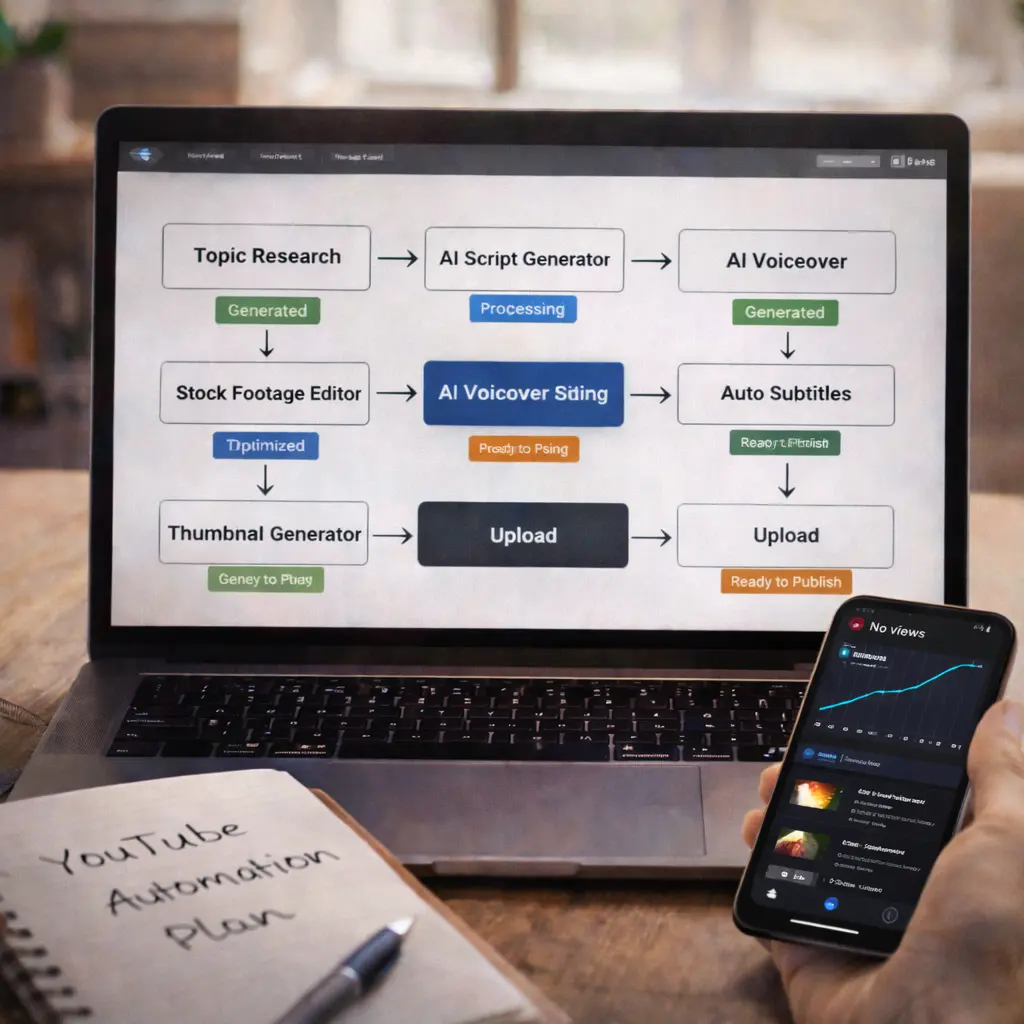
Step 1: Research Topic (10 minutes)
- Use TubeBuddy to find high-search, low-competition topics
- Check what’s trending in your niche
Step 2: Write Script (5 minutes)
- ChatGPT: “Write 10-minute YouTube script about [topic]”
- Edit to add personality, fix any errors
Step 3: Generate Voiceover (3 minutes)
- Paste script into ElevenLabs
- Download MP3
Step 4: Collect Stock Footage (15 minutes)
- Search Pexels/Pixabay for relevant clips
- Download 10-15 clips (1080p)
Step 5: Edit Video (30 minutes)
- Import everything to DaVinci Resolve or CapCut
- Sync footage to voiceover
- Add text overlays for key points
- Export 1080p MP4
Step 6: Create Thumbnail (10 minutes)
- Design in Canva
- Bold text, contrasting colors
- Export PNG
Step 7: Upload & Optimize (10 minutes)
- Upload to YouTube
- Title: Use keyword from TubeBuddy research
- Description: ChatGPT-generated + keyword-rich
- Tags: From TubeBuddy suggestions
Total time: 90 minutes per video Total cost: ₹0
REALISTIC TIMELINE TO MONETIZATION
Month 1-2: Learning Phase
- Videos: 8-15 posted
- Subscribers: 0-100
- Views: 50-500 per video
- Revenue: ₹0
- Focus: Learning tools, improving quality
Month 3-4: Finding Your Voice
- Videos: 20-30 total
- Subscribers: 100-500
- Views: 500-2,000 per video
- Revenue: ₹0
- Focus: Testing thumbnails, analyzing retention
Month 5-6: Algorithm Recognition
- Videos: 35-50 total
- Subscribers: 500-1,000+
- Views: 2,000-5,000 per video
- Revenue: ₹0 (pre-monetization)
- Milestone: Hit 1,000 subscribers
Month 7-8: Monetization!
- Videos: 50-70 total
- Subscribers: 1,000-3,000
- Views: 5,000-15,000 per video
- Revenue: ₹15,000-₹40,000/month
- Milestone: 4,000 watch hours achieved
Month 9-12: Growth Phase
- Subscribers: 3,000-10,000+
- Views: 10,000-50,000 per video
- Revenue: ₹40,000-₹1,00,000+/month
Reality: 70% of automation channels quit before Month 4. The ones earning ₹50K-₹2L/month stuck through the slow start.
COMMON MISTAKES
Mistake #1: Expecting Passive Income Immediately
YouTube automation requires 4-8 months of consistent work before passive income kicks in.
Mistake #2: Using Only AI (No Human Touch)
Pure AI content is boring. Add your perspective, current events, unique angles.
Mistake #3: Ignoring Watch Time
YouTube rewards videos people actually watch. If viewers leave after 30 seconds, video won’t get recommended.
Solution: Hook in first 15 seconds, keep pacing fast, cut boring parts ruthlessly.
Mistake #4: Wrong Niche Selection
Picking low-CPM niches (gaming commentary: $2-4 CPM) vs high-CPM (finance: $12-20 CPM) means 5x revenue difference for same views.
Solution: Start with high-CPM niche: finance, health, business, tech, real estate.
Mistake #5: Inconsistent Posting
Posting 5 videos in Week 1, then nothing for 3 weeks = algorithm abandons your channel.
Solution: Post 2-3 videos weekly consistently. Better than 1 perfect video monthly.
FREE TIER LIMITATIONS & WORKAROUNDS
ElevenLabs (10,000 chars/month):
- Workaround: Multiple email accounts or shorter scripts
Pictory (3 videos/month):
- Workaround: Use for testing only, main editing in DaVinci
Kapwing (7 min export/month):
- Workaround: Edit in sections, combine in DaVinci
TubeBuddy Free:
- Limitation: Basic features only
- Workaround: Enough for beginners, upgrade when earning
Smart strategy: Start completely free, upgrade tools only when channel earns ₹20K+/month.
REAL CHANNEL EXAMPLE (My Numbers)

Niche: Personal Finance Started: May 2024 Investment: ₹0 (100% free tools) Monetized: December 2024 (7 months)
Current Stats (Feb 2026):
- Subscribers: 12,400
- Total videos: 68
- Monthly views: 180,000-220,000
- Monthly revenue: ₹35,000-₹55,000 (AdSense only)
- Work hours: 6-8 hours/week
What worked:
- High-CPM niche (finance)
- Consistent 2-3 videos/week
- Strong thumbnails (6-8% CTR)
- Scripts edited for personality (not pure AI)
What didn’t:
- First 20 videos got <500 views each
- Tried gaming content (terrible CPM)
- Skipped weeks (momentum died)
MONETIZATION BEYOND ADSENSE
Affiliate Marketing:
- Promote tools in video description
- Finance channels: Link investing platforms, credit cards
- Earnings potential: ₹10,000-₹50,000/month additional
Sponsorships:
- At 5K subs, small brands reach out
- Rates: ₹8,000-₹30,000 per sponsored video
- Frequency: 1-2 per month
Digital Products:
- Sell PDF guides, templates, courses
- Passive income: ₹20,000-₹1,00,000/month (at scale)
Channel Memberships:
- At 1K subs, offer exclusive content
- ₹99/month × 50 members = ₹4,950/month
Total potential: ₹1,00,000-₹3,00,000/month from diversified income.
FAQs
Q1: Can I really start with zero budget?
Yes. Every tool mentioned has a genuinely free tier. You might hit limits (ElevenLabs 10K chars), but you can start and test completely free.
Q2: How long to monetization?
Realistically 6-8 months posting 2-3 videos/week. Faster if you go viral, slower if inconsistent.
Q3: Will YouTube penalize AI-generated content?
No. YouTube penalizes low-quality content, not AI content. Provide value = you’re fine.
Q4: Best niche for beginners?
High-CPM + evergreen: Personal finance, health/wellness, productivity, tech tutorials.
Q5: Do I need to show my face?
No. Faceless channels work great with AI voiceovers + stock footage.
Q6: What if I hit ElevenLabs free tier limit?
Use multiple emails, upgrade to paid ($5/month), or use shorter scripts.
Q7: Can I use AI voiceover for monetization?
Yes. YouTube doesn’t care if voiceover is AI as long as content is original.
Q8: How many videos before first views?
10-20 videos before algorithm understands your channel. Don’t quit early.